Guides3 min read
How to Retry a Failed Delivery Stop Without Re-Driving the Whole Route
A failed stop doesn't mean a second full run the same day: record the reason, let the day summary count the failed stop separately, and carry it into a new route for the next attempt — with proof saved the same way.
Three rings on the doorbell, no answer. The gate code fails twice. The parcel is still in your hand, and the ETA for the next stop is already slipping. The two worst moves now are to forget the stop and keep driving, or to turn around and retry the failed delivery stop on the spot.
A failed delivery doesn't need a second full run the same day. Record the reason on the stop, so it stays in the day's record; at close of day the summary counts delivered, failed and skipped stops separately; tomorrow, carry the unfinished stops into a new route and try them again as the next attempt. Retries and the day summary are in the free version of DropTrail — no Pro needed.
What to do the moment a stop fails
When a door won't open, mark the stop failed first, then write one line about why: no answer, wrong gate code, address not found. What you write matters less than writing it down — tomorrow you won't have to reconstruct what happened at that door from memory.
Don't mark it delivered just to move on. DropTrail warns you if you mark a stop delivered far from its address. One false delivered is harder to clean up than one honest failure: the customer will ask where the parcel is, the depot's numbers won't match, and you'll have no photo from the moment to show for it.
How the day summary keeps a failed stop visible
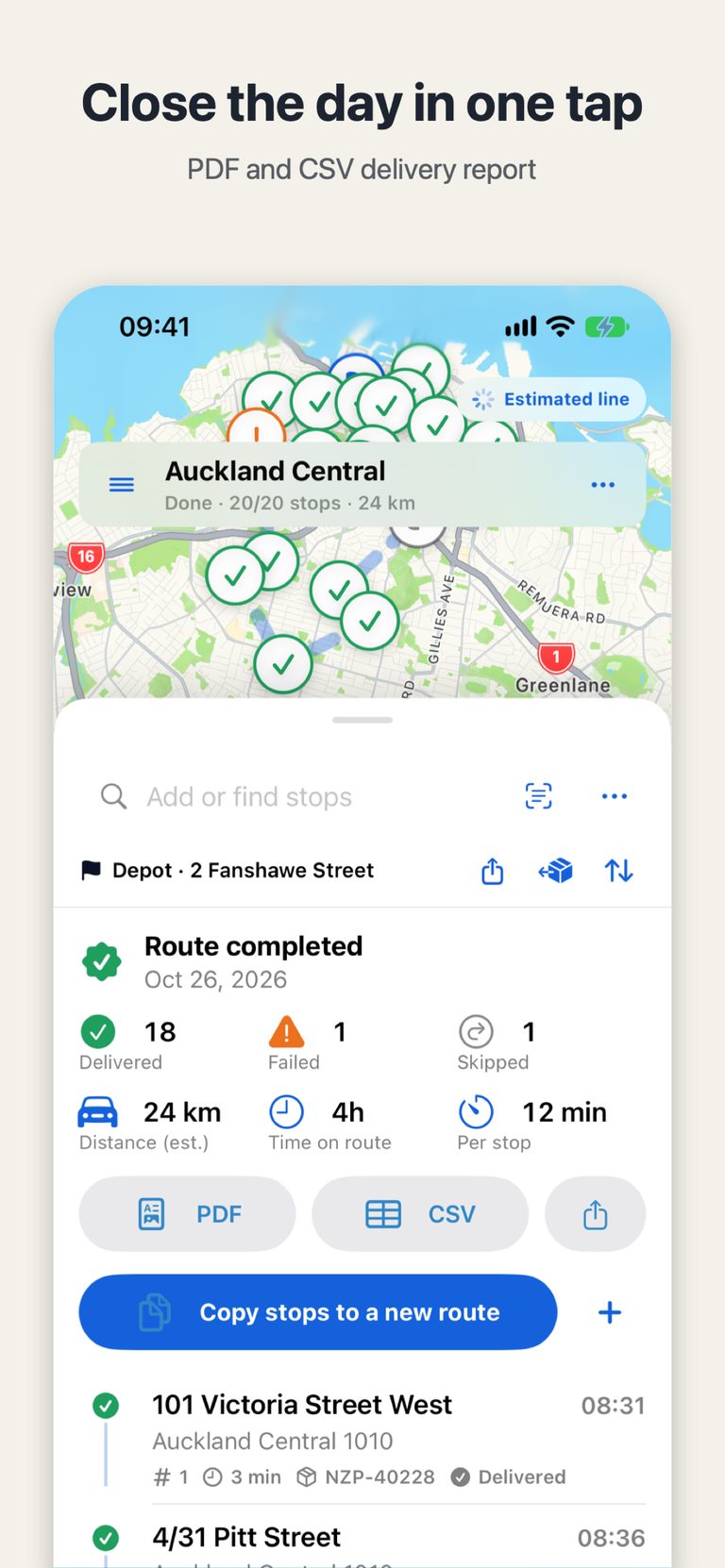
When the route is done, the summary lists delivered, failed and skipped stops as three separate numbers, next to distance and time on route. In the example Auckland Central route in the picture, 18 of 20 stops were delivered, 1 failed and 1 was skipped — 24 km, 4 hours, 12 minutes per stop — and the failed stop shows on the map as an orange exclamation mark, easy to spot.
That is where a failed stop belongs: not in your head, and not on a crumpled note, but in the day's summary, counted apart from the delivered ones. Pro can export the same day as a PDF or CSV report to share with the depot or a client.
How to retry a failed delivery stop tomorrow
At the bottom of the summary there is a "Copy stops to a new route" button: tap it and the route's stops move into a fresh route. Before you set off, check every row the way you checked the run sheet on the first import — confirm which stops still need a second attempt — then optimise and go.
Before leaving, look at the reason you recorded yesterday: if the gate code was wrong, call ahead; if nobody was home, put the stop in a different time window. If the failure was a missed time window in the first place, read the guide to planning a route around time windows first, and put the time-sensitive stops in an order that won't run late.
Saving proof on the retry
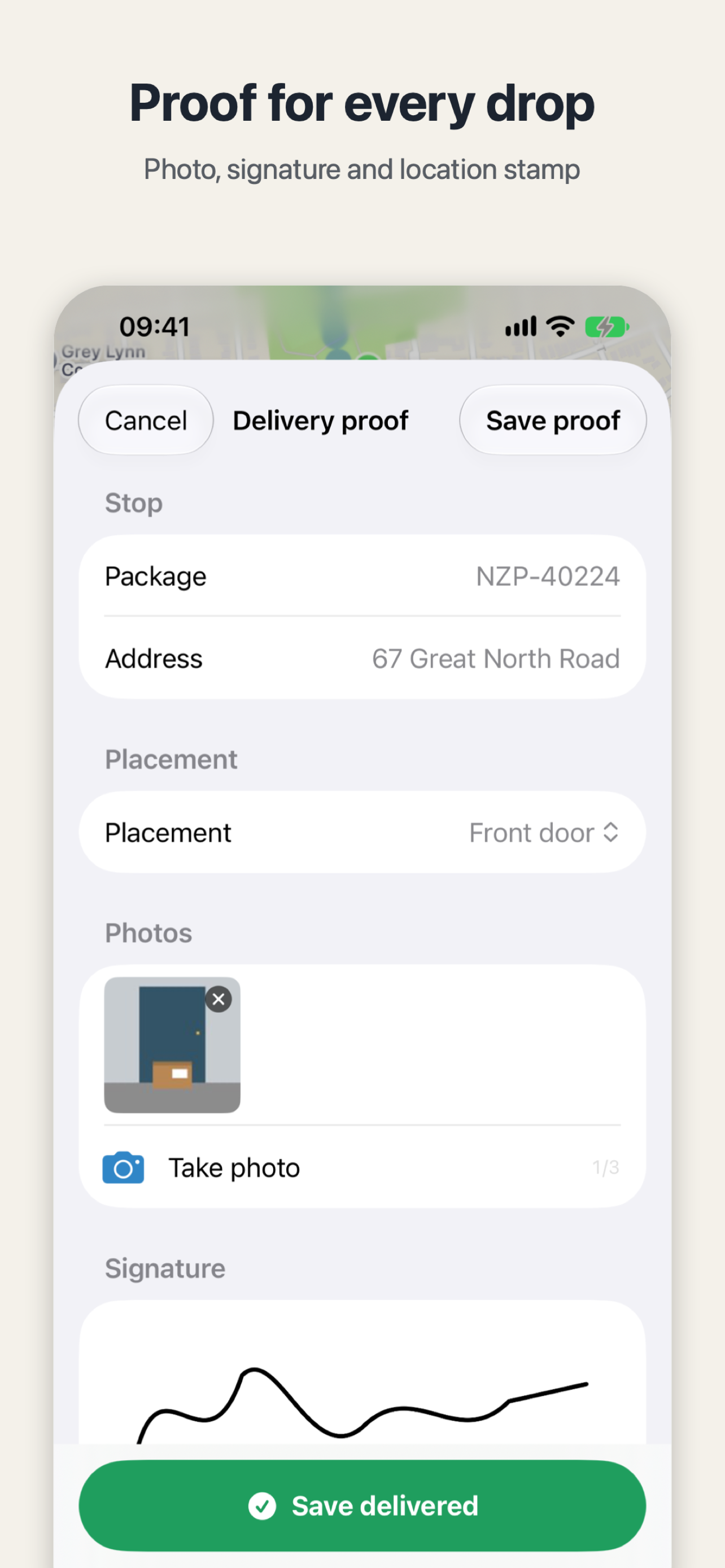
The retry gets the same proof as the first attempt. The moment it is delivered, record the placement and take the photo: in the picture, this parcel went to the front door, with one photo of the parcel at the door, then "Save delivered". The free version covers placement and one proof photo per stop; Pro adds up to three photos, a signature and a location stamp.
Before your next run, glance at yesterday's summary: is there a stop marked failed? If there is, put it in today's route — don't let it sit at the bottom of the list for another day.

DropTrail
The offline route book for independent couriers and owner-drivers.

 Scan with your iPhone