App updates3 min read
Record a Loan Payment from the Home Screen — No Need to Open RepayMemo
Just paid a bill? Long-press the RepayMemo icon and tap Record a payment — the payment lands in your ledger without opening the app. Version 1.3.0 adds a new account the same way.
You have just paid this month's mortgage in your banking app; your phone is still lit. Right now you remember everything: which bill, how much, what day. Wait until evening and you'll be scrolling through bank statements to be sure. RepayMemo 1.3.0 is built for those few seconds: record a loan payment from the home screen — long-press the icon, and the payment you just made is logged on the spot, no need to open the app.
RepayMemo 1.3.0 reached the App Store on 16 November (New Zealand time). The update does one thing: long-press the RepayMemo icon on your home screen and the menu offers two shortcuts, Record a payment and Add an account. Tap the first and the payment goes into your ledger; tap the second to start a new account. No opening the app first.
How many steps does it take to log a payment from the home screen?
Long-press the icon, tap Record a payment, and log the one you just made. Once it is in, today's due amount clears from the overview, and an overdue bill stops sitting at the top in red. Tapped the wrong one? Every payment can be undone from the payment history, so one slip does not mess up the books.
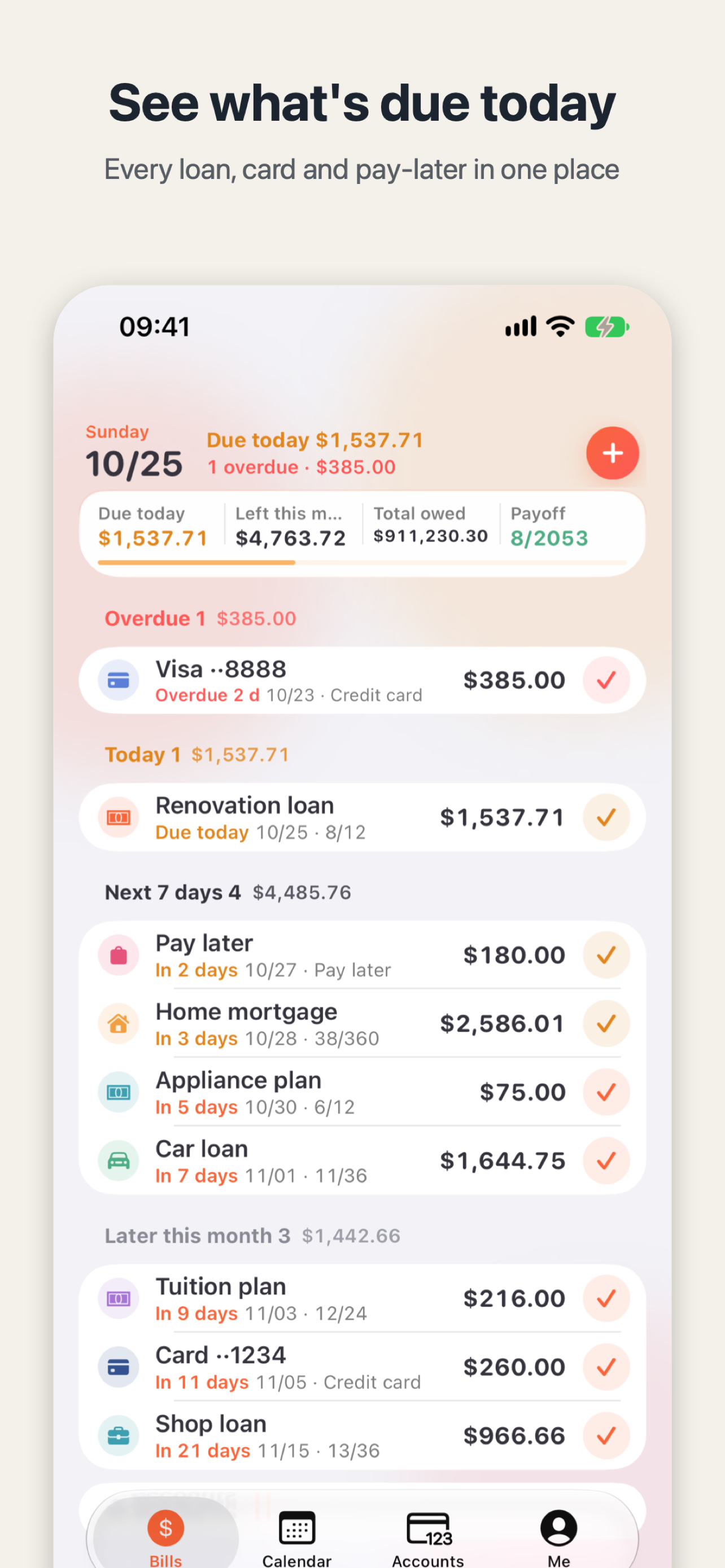
In the example ledger in the screenshot: $1,537.71 due today, one bill $385.00 overdue — a Visa ending 8888, two days overdue — a renovation loan of $1,537.71 due today, its 8th of 12 payments; four more bills totalling $4,485.76 in the next 7 days; $4,763.72 left this month, $911,230.30 owed in total, payoff in August 2053. The figures are sample data; the layout is what you see each morning.
Where does the payment you just logged actually go?
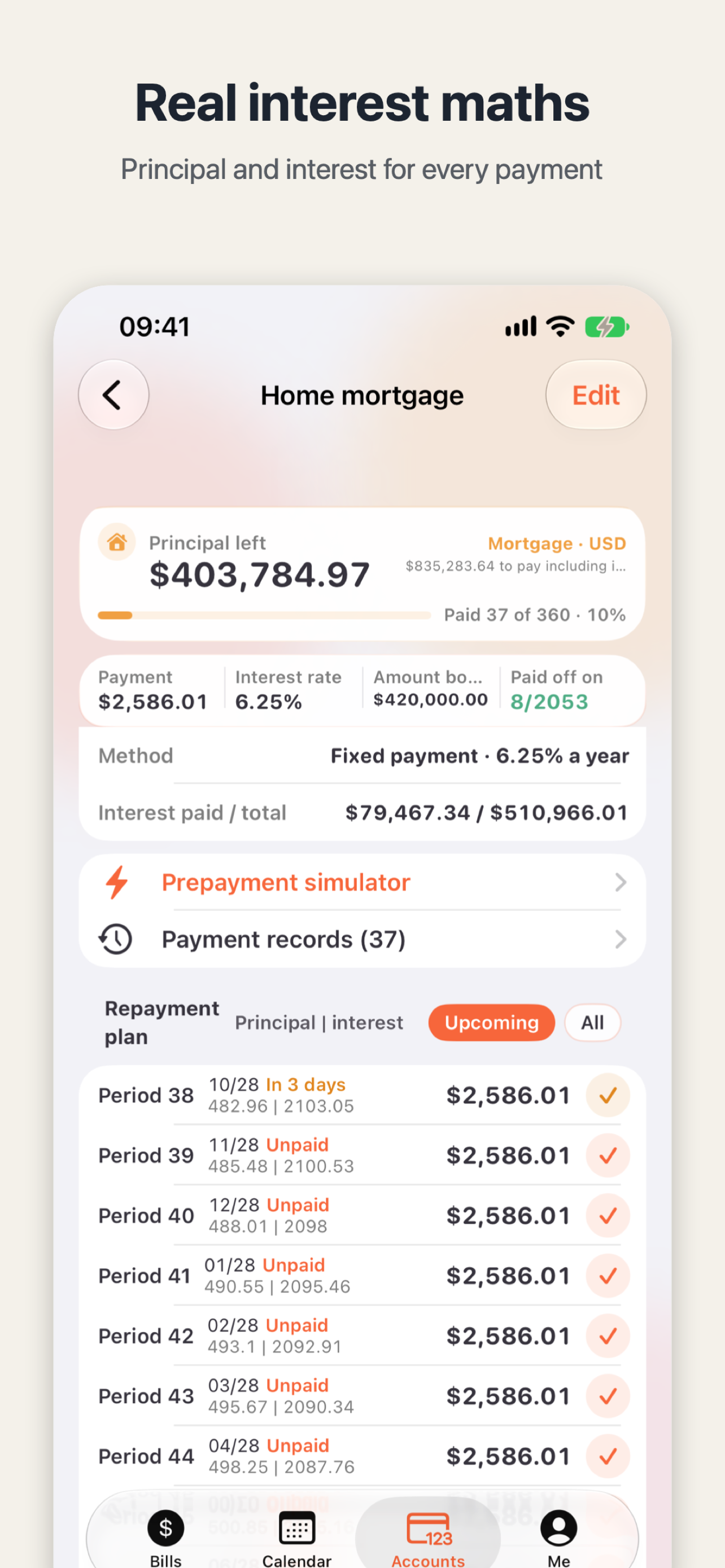
Open any loan and the ledger beats a bank text message for detail. Take the home mortgage in the screenshot: $403,784.97 of principal left, 37 of 360 payments made, $2,586.01 a month at 6.25% a year, $79,467.34 of interest paid out of $510,966.01 in total. Below that is the repayment plan: period 38, due 28 October, $2,586.01 — $482.96 of principal and $2,103.05 of interest. The payment you just logged joins the payment history, alongside the 37 before it.
When would you use Add an account?
When a new loan starts or a new card arrives, the first job is to get the account into the ledger. Long-press the icon, tap Add an account, and do it before you forget. Mortgages, car loans, credit cards, pay-later, personal and online loans, business loans, money owed to friends — eight kinds, all in one place. Once it is in, it lines up in the overview with everything else.
What if the payment you just logged was an extra one?
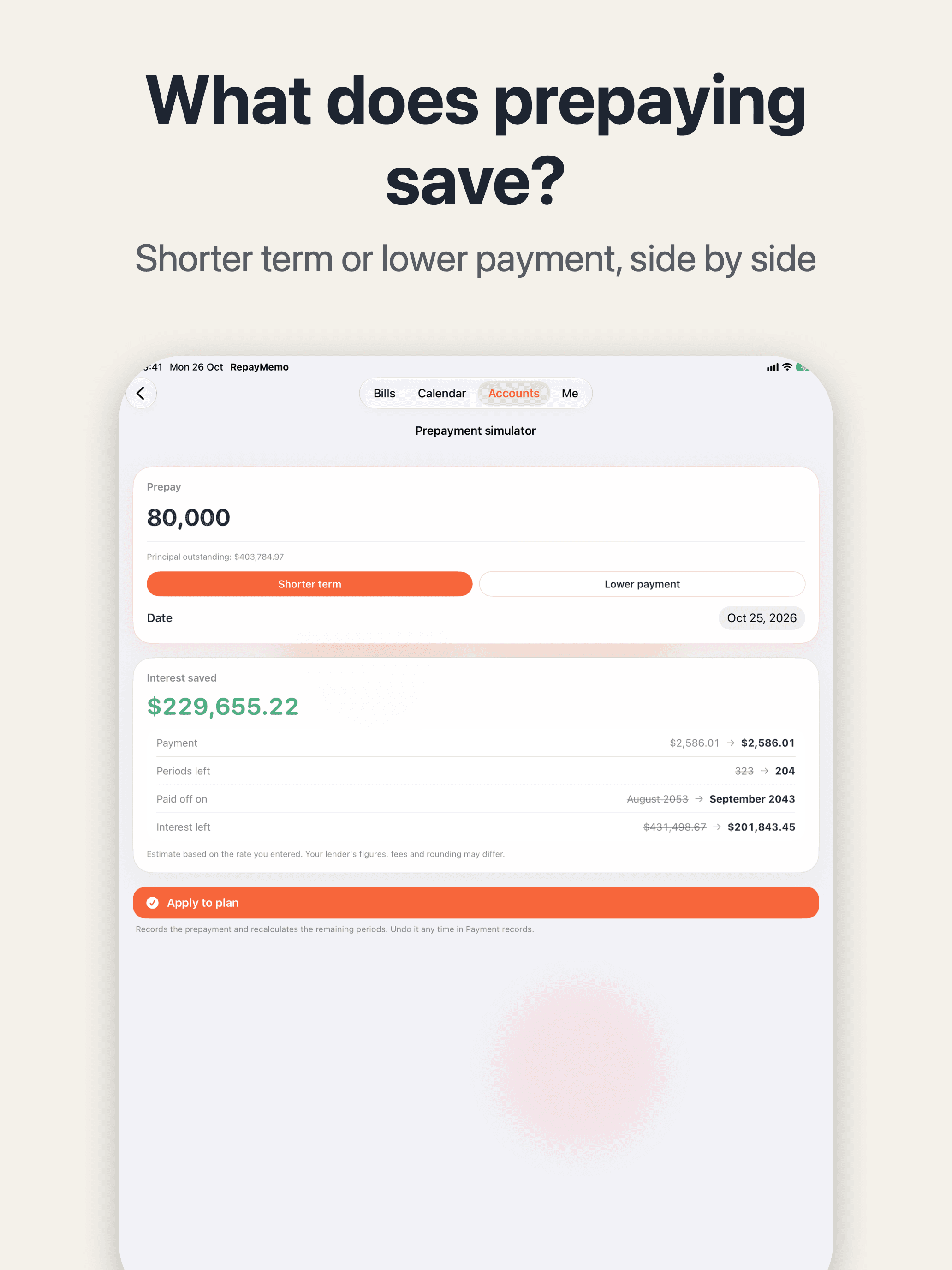
Sometimes a payment is more than the month's bill — an extra chunk off the loan. That is a prepayment, and the maths works differently. To see how much sooner that extra payment brings your payoff date, read Loan prepayment: shorten the term or lower the payment? Work it out first — that post compares the two ways to use a prepayment, and how much interest and time each one saves. RepayMemo only records and calculates; it does not give financial advice. It just keeps the numbers straight: what is due today, what is left this month, and when you will be debt-free.
Next time you pay a bill, don't lock the phone straight away: long-press the RepayMemo icon, tap Record a payment, and the books are done. Update to 1.3.0 first — it has been on the App Store since 16 November.

RepayMemo
Every loan, card and pay-later in one private ledger. See what is due today and when you will be debt-free.

 Scan with your iPhone