Guides3 min read
Loan Prepayment: Shorten the Term or Lower the Payment?
Should a loan prepayment shorten the term or lower the payment? Shortening the term saves more interest and clears the debt years earlier; lowering the payment eases each month but saves less. See both in RepayMemo.
You have some extra money — a bonus, a tax refund, the old car finally sold — and you want to put it toward a loan. Then the bank offers two choices: shorten the term, or lower the payment. Both sound good, and the difference between them is not small: one decides how much you pay each month, how many years the loan runs, and how much interest you pay in total. That is exactly what a loan prepayment, shorten the term or lower the payment, comes down to: don't guess, put both results side by side first.
The short answer: two choices, three numbers apart
Shorten the term: the monthly payment stays the same, the number of payments drops, the payoff date moves earlier, and the interest saved is the most. Lower the payment: the amount due each month drops, the payoff date stays where it is, and the interest saved is less. The same prepayment, two different outcomes for interest saved and payoff date — one calculation makes it obvious, guessing never will.
Shorter term vs lower payment: what actually changes?
Interest is charged on the principal that is still outstanding, over the time it stays outstanding. Pay principal down earlier and there is less principal left for interest to build on. Shortening the term pushes that as far as it goes: the payment stays exactly as it was, and what shrinks is the number of payments left — fewer periods, less time for interest to accumulate.
Lowering the payment takes the other road: the payoff date does not move, but the amount due each month drops, so the month feels lighter right away. The trade-off is less interest saved, because the principal is still there for just as long. Neither choice is right or wrong; they do different things — one saves interest and finishes earlier, the other eases the month.
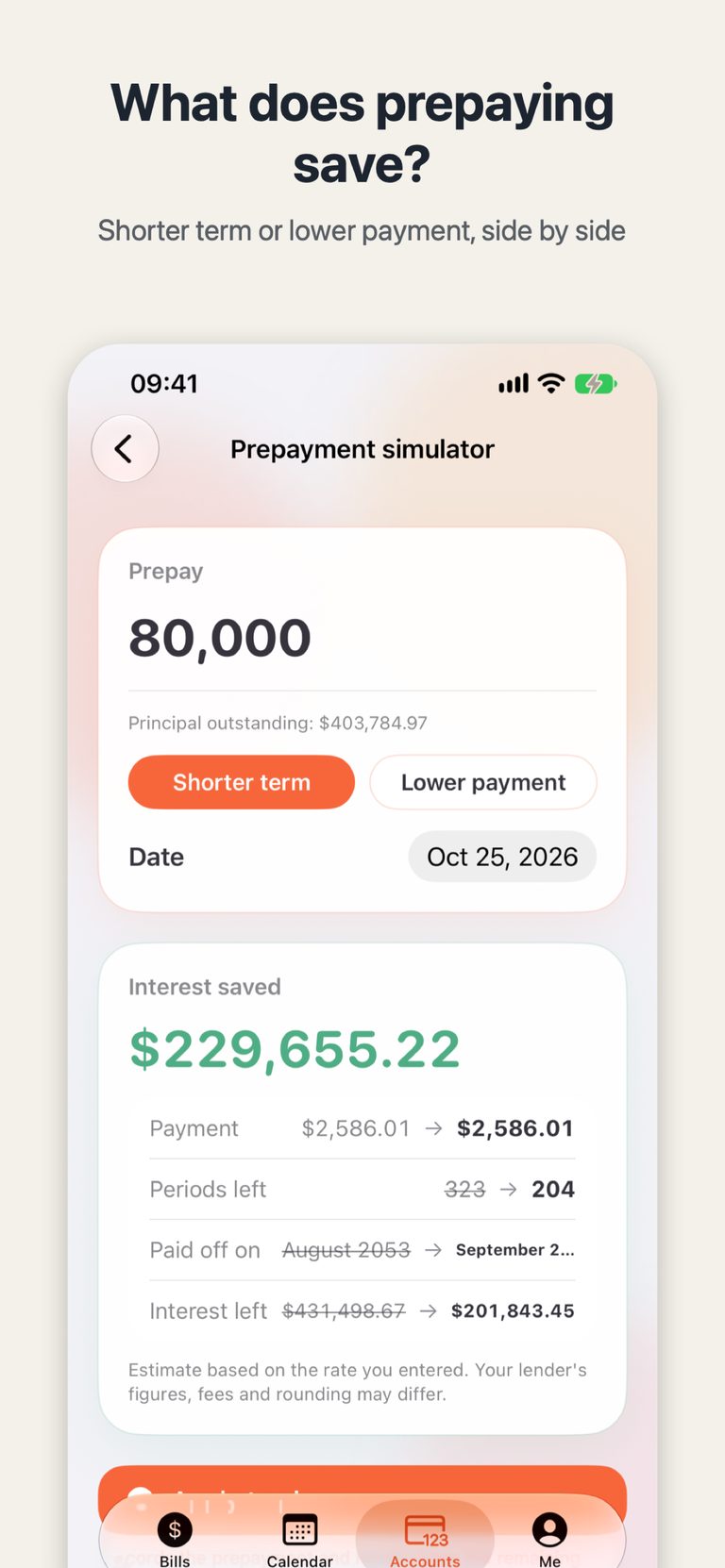
The example in the screenshot makes it concrete: prepay 80,000 against a principal outstanding of $403,784.97, choose the shorter term, and the interest saved is $229,655.22. The payment stays $2,586.01, periods left fall from 323 to 204, the payoff date moves from August 2053 to September 2043, and the interest left drops from $431,498.67 to $201,843.45.
How to run the numbers in RepayMemo
Open the loan from Accounts, find the prepayment simulator, and enter the amount you want to prepay and the date. Tap "Shorter term" or "Lower payment" and the results appear: interest saved, the new payment, periods left, and the payoff date, each on its own line. Switch to the other option and look again — the two results side by side speak for themselves.
When you have decided, tap "Apply to plan": the prepayment is recorded and the remaining periods are recalculated. Changed your mind? Undo it any time in Payment records. One thing to keep in mind: these figures are estimates based on the rate you entered — your lender's figures, fees and rounding may differ. The estimate helps you decide; the bank's numbers are the ones that count when you actually pay.
After the maths, look at the payoff date
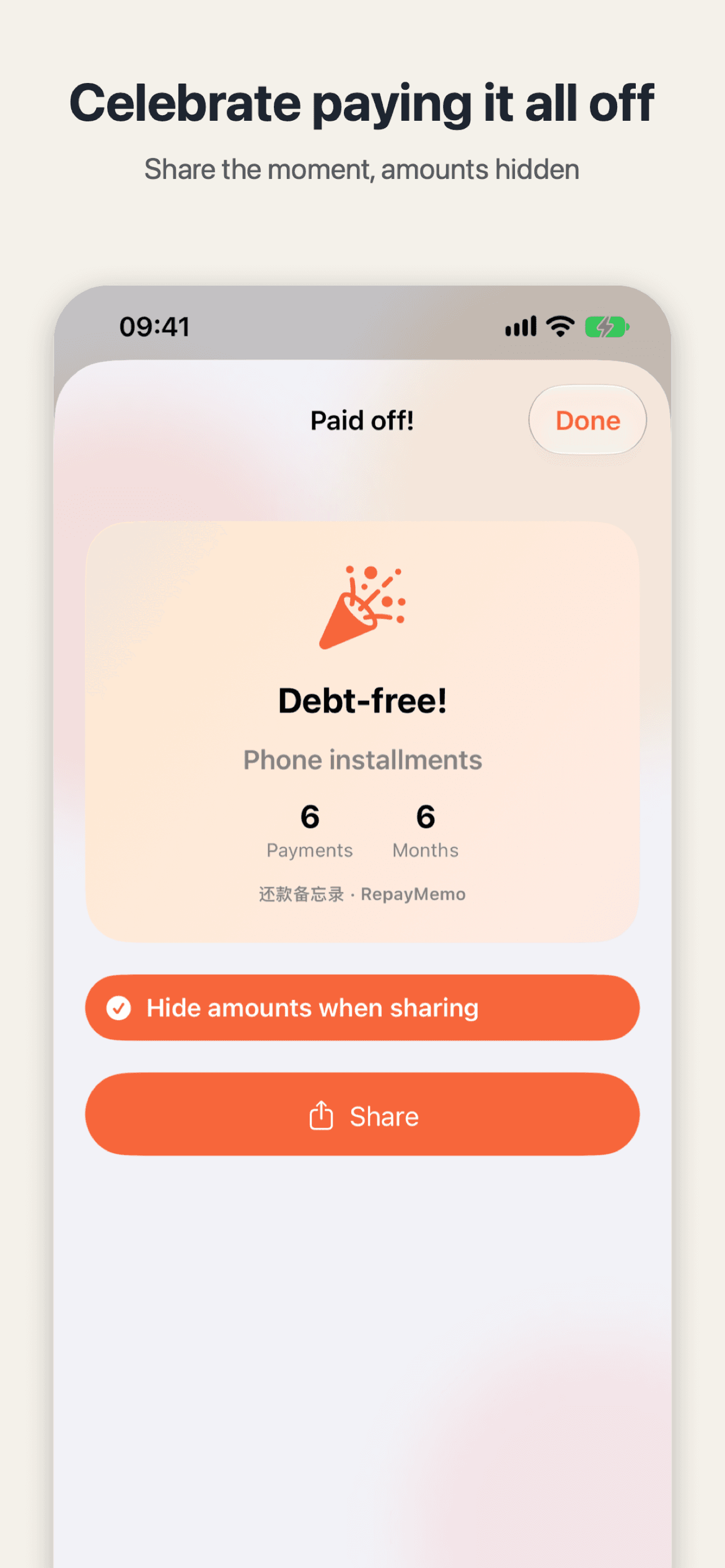
Once applied, the projected debt-free date on the overview moves with it. The calendar still shows what is due each day and what is coming in the next 7 days, all in one place. And when the last payment finally clears, RepayMemo's paid-off card: a keepsake that shows the moment without the amounts pops up — that post explains how the card shows only how many debts you cleared and how many months it took, never an amount or an account name. RepayMemo only records and calculates; it does not give financial advice. It just keeps the maths straight: what is due today, what is left this month, and when you will be debt-free.
Try it tonight: open RepayMemo, pick a loan, type the amount you have into the prepayment simulator, and tap each option once — the numbers will give you the answer.

RepayMemo
Every loan, card and pay-later in one private ledger. See what is due today and when you will be debt-free.

 Scan with your iPhone