App updates3 min read
How to Practice Chinese Character Stroke Order in Hanzi Grove 2.7
Hanzi Grove 2.7 answers back while your child traces: it hints where the next stroke starts, turns a correct stroke green, gently shakes and replays a miss, and writes the stroke for them after three tries.
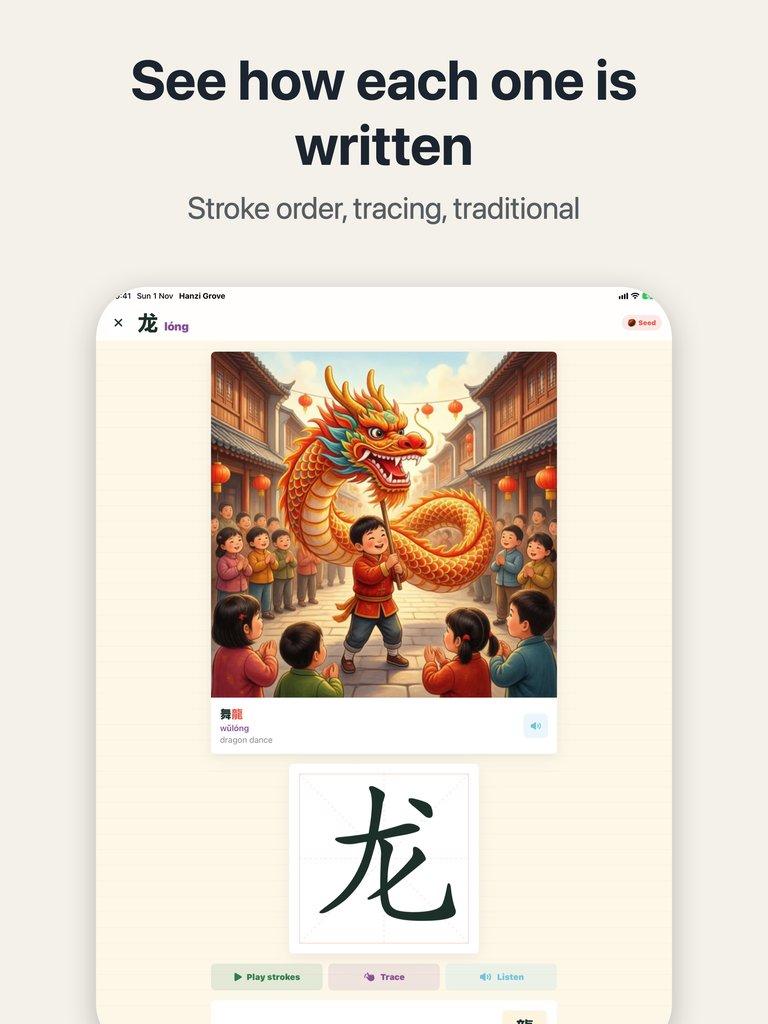
Your child puts a finger on the screen to trace 龙, dragon. Before the first stroke settles, the finger slides sideways across the middle. You want to say: start at the top left, dot first, then the horizontal stroke. But the moment you correct them out loud, they stop wanting to write. How do you teach Chinese character stroke order without standing over their shoulder? In Hanzi Grove 2.7, the tracing answers back.
Tracing in 2.7 is no longer copying a model character. Before each stroke, the app hints where it starts and which way it goes. Follow the hint and get it right, and the stroke turns green. Miss, and the character gives a gentle shake and shows the stroke again. Miss the same stroke three times, and Hanzi Grove writes it for them, then lets them carry on with the next stroke.
What does your child see while tracing?
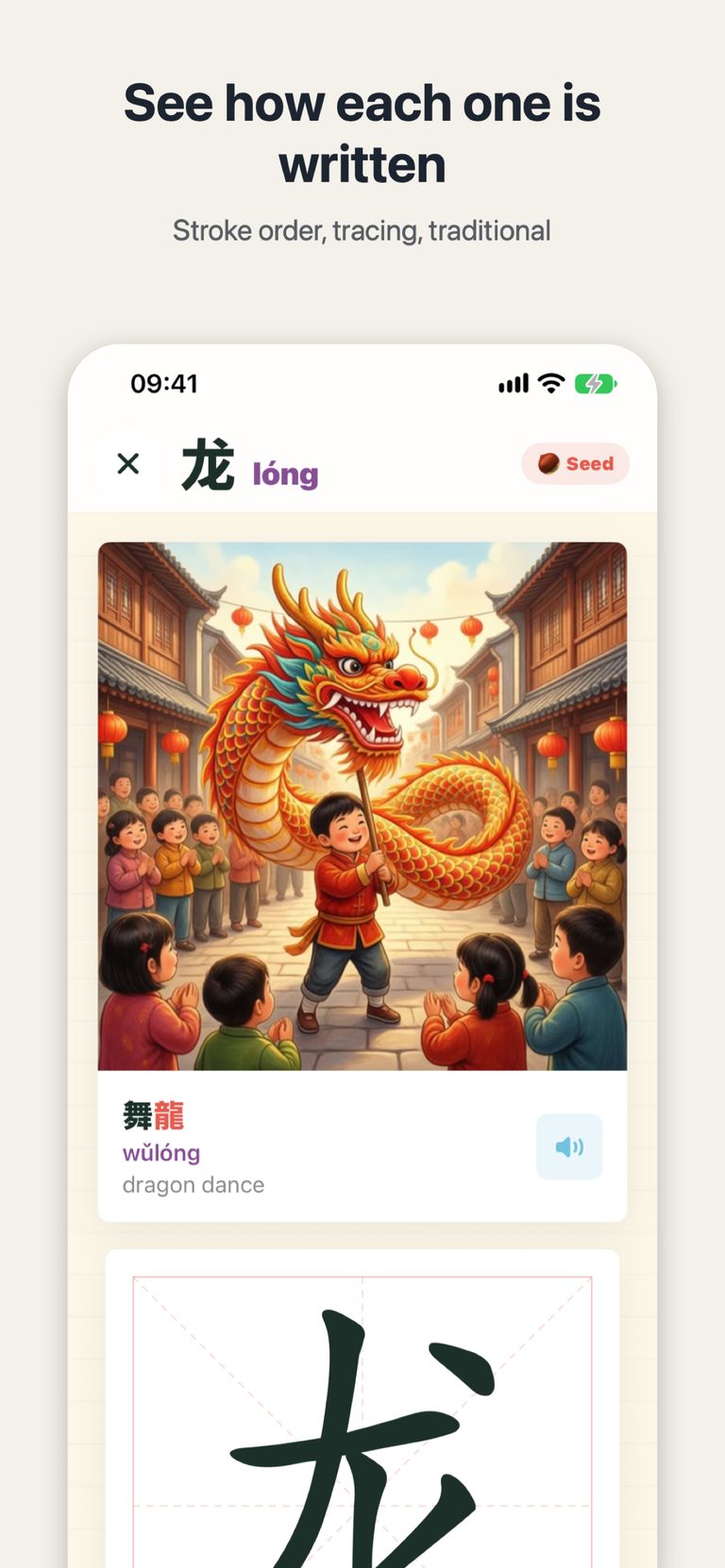
Here is what a character card looks like: a picture of children dancing with a dragon under red lanterns, the character 龙, its pinyin lóng, and the example word 舞龙, wǔlóng, dragon dance. Below it sits the tracing grid, with 龙 waiting to be written one stroke at a time. Every step comes with a hint first, a correct stroke turns green, and a wrong one costs nothing — it is simply shown again. There is no need to memorise the whole stroke order at once; just follow the hints.
Why is there a look-alike in the multiple-choice questions?
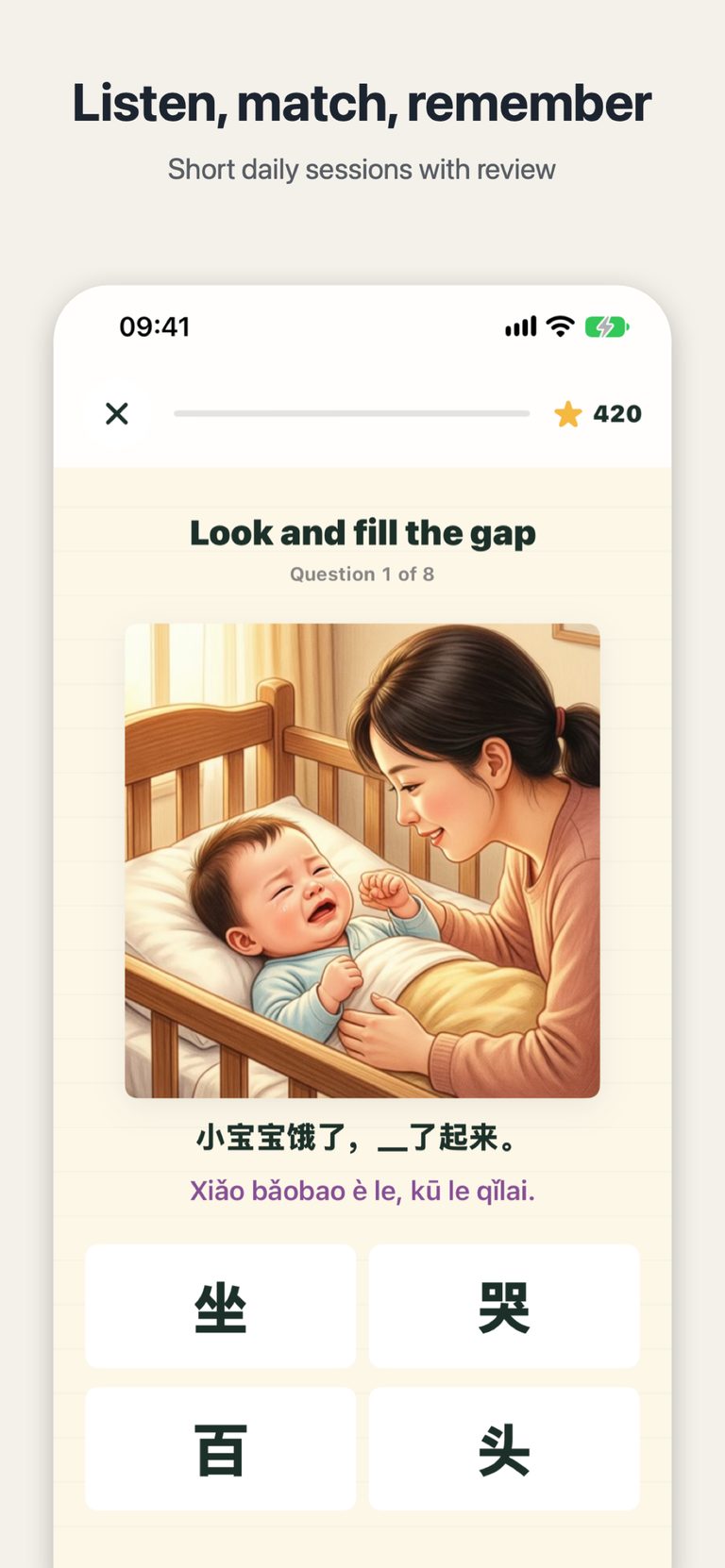
The choose-the-character questions have changed too. From 2.7, each one includes a character that looks similar to the answer, so the right choice is no longer the only obvious one. Your child has to look closely at the shape of each character before choosing. The picture questions work like this one: a mother soothing a baby in a crib, with the sentence “小宝宝饿了,__了起来。” and four options — 坐, 哭, 百, 头. Only by reading the sentence and looking carefully can you pick 哭, to cry. Learning to read starts with slowing the eyes down.
How long should practice last? What if there is no Chinese voice?
Two more thoughtful touches arrived in 2.7. After 15 minutes of continuous practice, a gentle reminder suggests a one-minute break before carrying on. You can change how long it waits in Settings, or turn it off entirely. And if the device has no Chinese voice installed, listening questions switch to pinyin questions instead, with a button that opens Settings to add a voice — no hunting around for where voices live.
Each practice now also includes one write-it question, for a character met today: learn it, then write it straight away, while it is still fresh. For grown-ups there is a new “today I met” card to share with family — one card that says which character your child met today. Downloads and offline pictures now sit together in Settings as well, instead of in two separate places.
The last version fixed the other half of the problem, pronunciation: how Hanzi Grove 2.6 teaches the right reading for characters with more than one pronunciation. Version 2.7 picks up where it left off — once a character is read correctly, it still needs to be written correctly.
Try it tonight: update Hanzi Grove to 2.7, open a character your child met today, and let them trace it once. You do not need to stand beside them correcting every stroke — the tracing answers back. Right turns green, a miss gets shown again.

Hanzi Grove
Read your first 300 Chinese characters with stroke-order cards, pinyin, review and 21 bilingual stories.

 Scan with your iPhone