App updates3 min read
How to Start with Chaos Experiments: PerturbLab 1.3.0's Five-Minute Tour
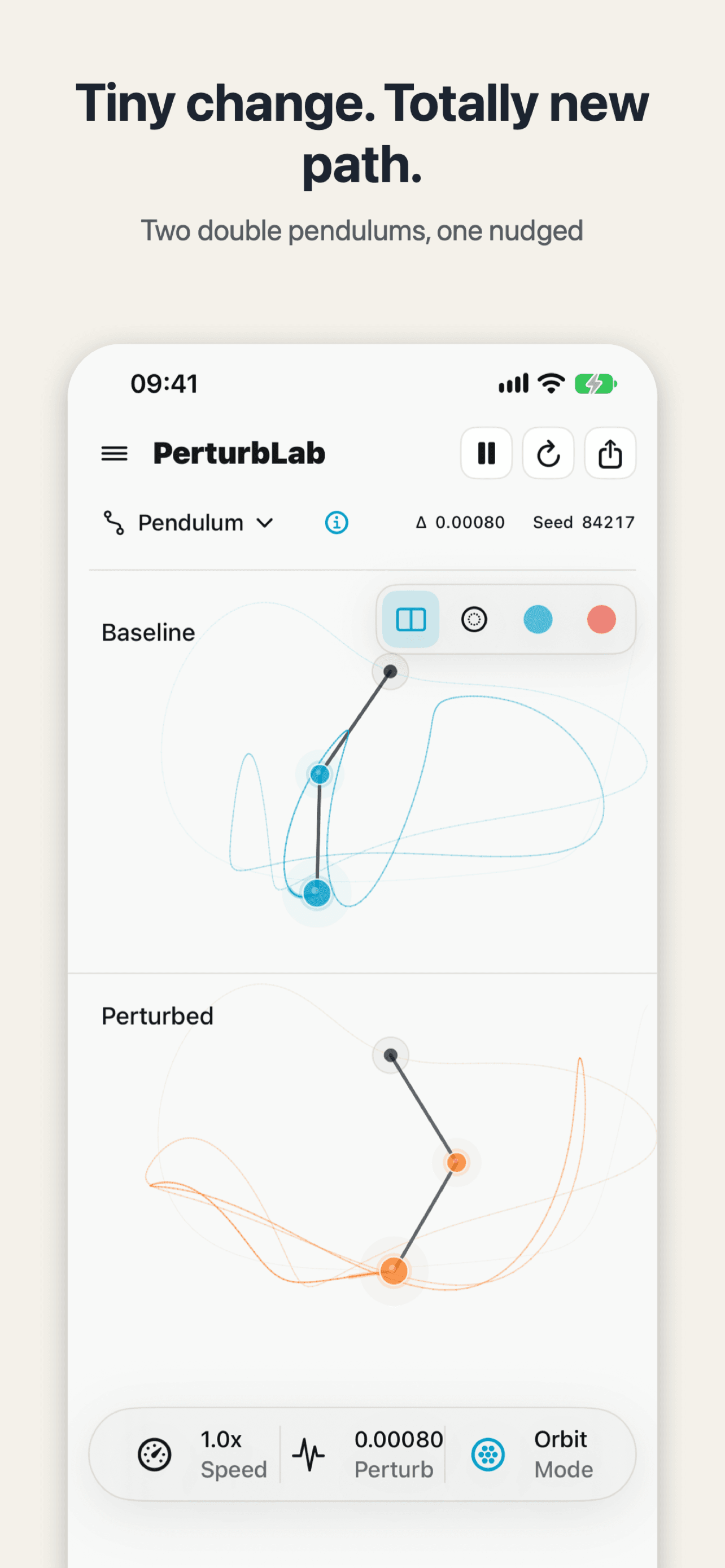
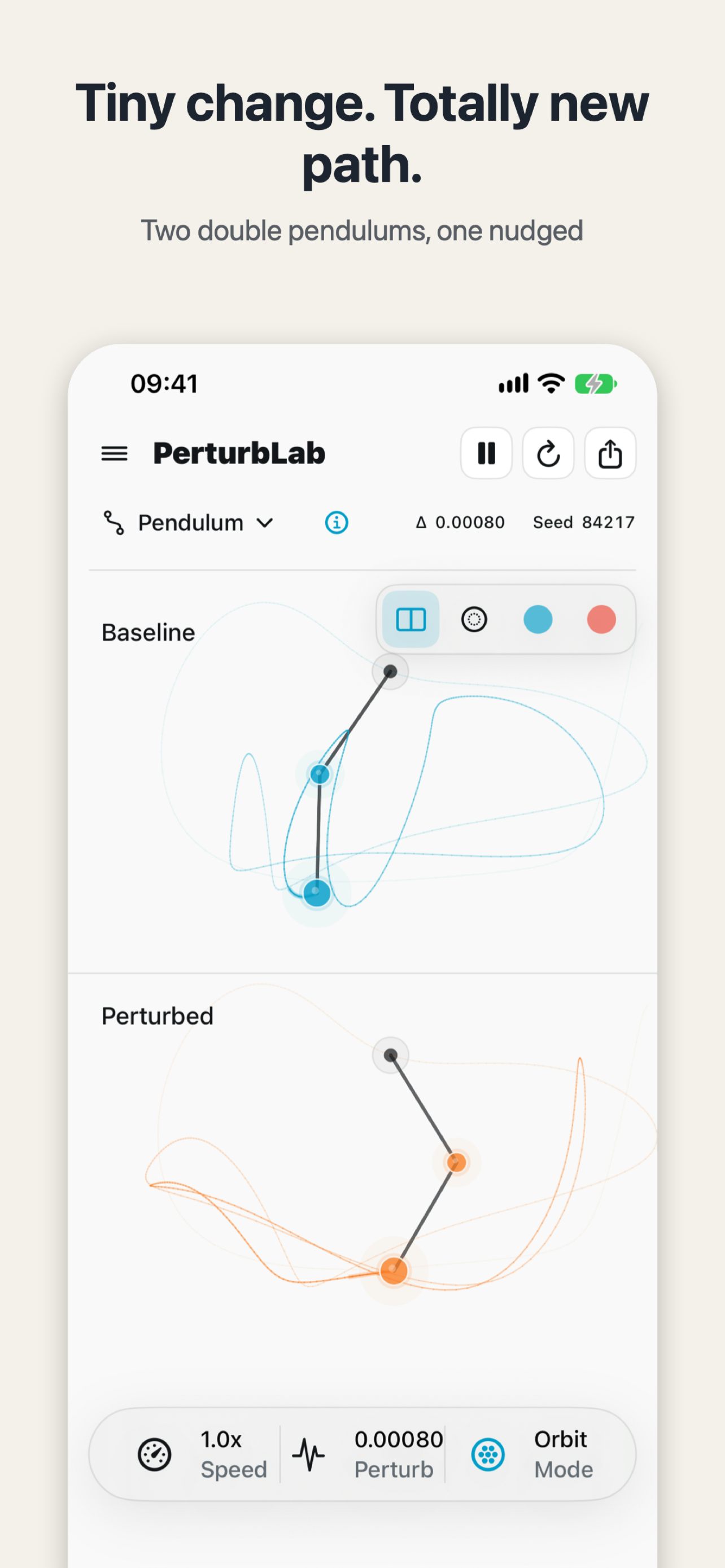
New to chaos experiments? Start with PerturbLab 1.3.0's five-minute tour: five stops, one idea each, beginning with the double pendulum — two runs, a tiny difference apart, drifting into different worlds.
You open PerturbLab and face 176 experiments. How to start with chaos experiments when every name looks inviting — double pendulum, three-body orbits, the Lorenz butterfly — and none of them explains itself first? Version 1.3.0, live on 15 November 2026, answers with a five-minute tour: five stops, one idea per stop, built for the very first run.
In short: don't read the manual, and don't touch a slider yet. Open PerturbLab 1.3.0 and follow the five-minute tour. The first stop is the double pendulum: two pendulums start together, one nudged by just 0.00080, moving as one — then slowly drifting apart until each follows its own path. Five minutes in, you know what this app is comparing: the same system, started almost identically, ending up somewhere completely different. PerturbLab is free, offline, with no ads and no account.
What does the five-minute tour show you?
Each stop carries one idea, no formulas. The double pendulum is the clearest: two panels, the baseline on top and the perturbed run below, the blue trail and the orange trail overlapping at first, then separating after a few seconds. Split view exists so you can watch that exact moment of separation. The seed — 84217 — is printed on screen, so the same seed gives you the same picture next time. Want to show a friend? Run the same seed and the same moment comes back.
Which six experiments should a beginner try first?
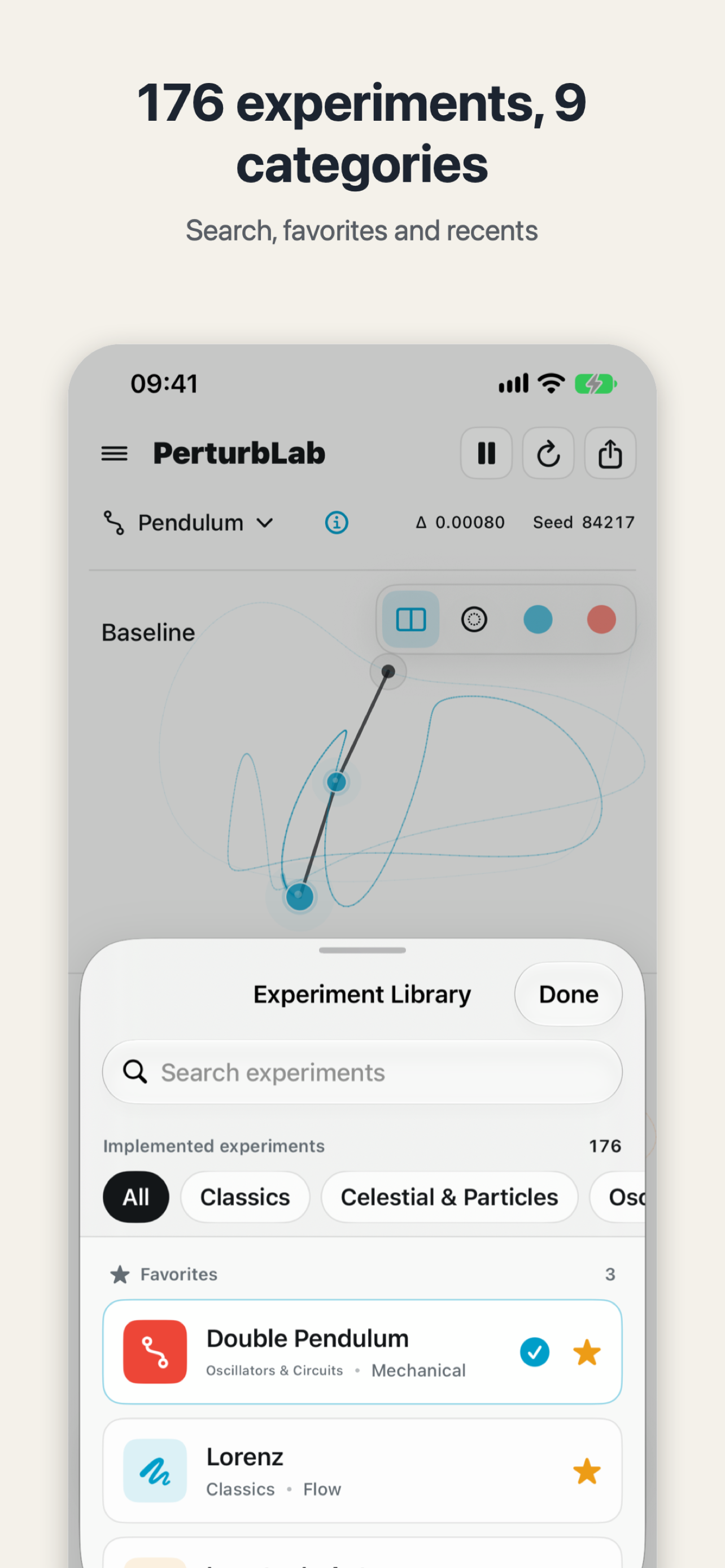
After the tour, the top of the library holds six "Start here" experiments, new in 1.3.0. The 176 experiments sit in 9 categories, and the library lets you search and keep favorites — the double pendulum and Lorenz are starred in the picture. Not sure what to open next? Pick one of the six by name. The first time you open an experiment, a "what to watch, what to try" card pops up, telling you where to look and what to touch; you can switch it off if it gets in the way.
What if the sliders make no sense?
The Perturb slider now has a plain-words line under it, and the slider itself reads Tiny, Small, Medium, Large — no guessing whether 0.00080 counts as big or small. The presets are three plain words: Calm, Chaotic, Dramatic. Speed runs from 0.25x to 4x. Every slider has a VoiceOver label, and Settings moved behind a gear icon. On first launch, a short three-step guide explains what the two pictures are comparing and where the controls are, then leaves you to it.
When you have a moment worth sending to a friend, the way to do it is in the earlier post: turn a chaos experiment into a shareable image, parameters included — that one covers the share card added in 1.2.0, which sends the picture together with the settings that made it.
What else changed in 1.3.0?
A few smaller fixes smooth the first run: the simulation pauses when you leave the app and continues when you come back, so answering a message doesn't mean returning to a pendulum that has wandered off somewhere. Categories are now cover cards, each previewing its first experiment. And the summary bar at the bottom shows where to tap to adjust. All of it is there so a first-time visitor takes fewer wrong turns.
Try it tonight: open PerturbLab, walk the five-minute tour, watch the double pendulum split — then pick one of the six starter experiments at the top of the library and open its "what to watch, what to try" card.

PerturbLab
See how a tiny change grows into a different world: 176 chaos and physics experiments running live.

 Scan with your iPhone